

Food Images for Websites: The Complete Guide to File Types and Resolution
in Uncategorized on October 5, 2026Have you ever opened a food website and waited for a beautiful dish to load, only to see a blurry image appear first? Or perhaps the food photo looks sharp on your laptop but strangely pixelated on your phone? These small visual problems can make a website feel unfinished, even when the food itself looks amazing.
Images are also a major part of website performance. According to the HTTP Archive’s September 2026 data, images account for a median of 1,056 KB on desktop pages and 882 KB on mobile pages. That makes image optimization more than a design concern; it directly affects how efficiently a page loads.
For restaurants, food brands, recipe websites and online food businesses, choosing the right JPEG image dimensions and compression level can make a noticeable difference. A high-quality picture website should not simply use the biggest image available. It should use a properly sized JPEG image with sensible compression, based on where the image will appear on the website.
So, what makes JPEG a good choice for food images, and what resolution should you actually use? Let’s break it down.
Why Food Images Matter on a Website
Food is highly visual. Before someone reads a menu description, they often notice the photograph.
Think about a restaurant selling a creamy pasta dish. The image needs to show the texture of the sauce, the colour of the herbs and the details of the toppings. A poor-quality image can make fresh food look dull. A properly optimised image can make the same dish look appetising.
Good food images can help you:
- Make dishes look more appealing
- Create a stronger first impression
- Improve product and menu presentation
- Support recipe content
- Build visual consistency across your website
- Make landing pages more engaging
- Reduce unnecessary image loading
- Support a smoother mobile experience
The goal is not simply to upload a beautiful photograph. The goal is to deliver that photograph efficiently.
Why JPEG Works Well for Food Photography
JPEG, also written as JPG, is a practical image format for food photography because it handles photographs with lots of colours, gradients, shadows and natural detail particularly well.
That makes it especially useful for food photography.
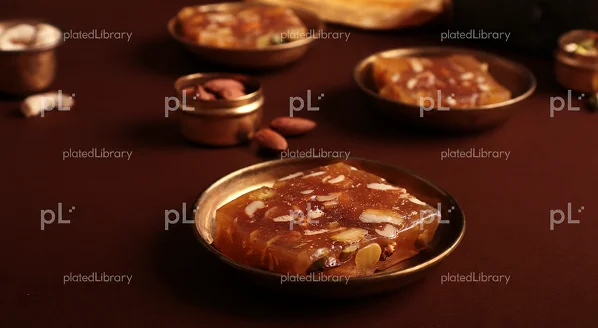
Imagine a photograph of a chocolate cake. It may contain dozens of subtle shades of brown, highlights from the icing, shadows around the plate and small details in the background. JPEG can compress this type of photograph while keeping the overall appearance visually strong.
The major advantage is its balance between image quality and file size.
JPEG uses lossy compression. In simple terms, some image information is removed during compression to reduce the file size. At a sensible quality setting, however, the difference may be difficult for an ordinary visitor to notice.
When Should You Use JPG?
JPG is a strong option for:
- Restaurant food photographs
- Recipe photographs
- Product photographs
- Hero food banners
- Blog images
- Menu photographs
- Lifestyle food photography
For example, if you have a 4,000 × 3,000-pixel photograph of a burger, you probably don’t need to upload the original camera file directly to your website. Resize it to the dimensions actually required and export it as a well-compressed JPG.
That can dramatically reduce unnecessary bytes without making the burger look noticeably worse.
What Image Resolution Should You Use for JPEG Food Images?
This is where many website owners get confused. You might think, “If a high-resolution image looks better, why not upload the highest resolution possible?”
Because the website does not necessarily need it. Suppose your website displays a recipe image at approximately 800 pixels wide. Uploading a 6,000-pixel-wide photograph means the browser may download far more image data than necessary before displaying it at a much smaller size.
A Practical JPEG Resolution Guide
| Website use | Suggested JPEG width |
| Small thumbnail | 300–500 px |
| Recipe card | 600–900 px |
| Blog content image | 800–1,200 px |
| Product/menu image | 1,000–1,500 px |
| Large hero image | 1,600–2,000+ px |
These are practical starting points rather than rigid rules. Your website design, responsive layout and image placement should determine the final dimensions.
For high-density screens, you may also need larger source images. Responsive image techniques such as srcset and sizes allow browsers to select a more appropriate image for the visitor’s screen and layout.
Resolution vs Image Quality: They Are Not the Same
This distinction is important.
Resolution refers to the number of pixels in an image.
Image quality refers to how good the image looks after factors such as focus, lighting, detail, resizing and compression are considered.
So, don’t chase resolution for its own sake.
Instead, ask: Where will this JPEG image appear, and how large will visitors actually see it?
How to Choose the Right JPEG Size
The best JPEG size depends on where the photograph will appear on your website.
For Small Thumbnails
A JPEG between 300 and 500 pixels wide is generally enough for smaller thumbnails, category previews and compact food cards.
For Recipe Cards
For recipe cards and similar website sections, a JPEG around 600–900 pixels wide can provide enough detail without unnecessarily increasing the file size.
For Blog Images
Blog content images can generally work well at around 800–1,200 pixels wide, depending on the content area and website layout.
For Product and Menu Images
Food products and menu photographs may benefit from around 1,000–1,500 pixels wide, particularly when visitors need to see ingredients, presentation and other visual details.
For Large Hero Images
Large hero sections may require JPEG images around 1,600–2,000 pixels wide or more, depending on the screen size and website design.
Don’t Forget JPEG Compression
Choosing the right dimensions is only part of the job. JPEG compression can make a huge difference to the final file size.
Let’s say you have a beautiful 2 MB photograph of a dessert. If your website only displays it at 900 pixels wide, serving the original 2 MB file may be unnecessary.
Instead:
- Resize the image.
- Save it as JPEG.
- Compress it at an appropriate quality level.
- Check the visual quality.
- Upload the optimised version.
- Test it on both desktop and mobile.
Excessive compression can create visible artefacts, especially around text, edges, sauces and fine food textures.
The ideal JPEG image is small enough to load efficiently but detailed enough to make the food look genuinely appetising.
Think About Mobile Users
A food website may look perfect on a large desktop monitor but behave very differently on a mobile connection.
This matters because images can consume a substantial part of a page’s total weight. The 2025 Web Almanac found that the median mobile home page delivered around 911 KB of image data, while the corresponding desktop figure was approximately 1,058 KB.
That is why responsive images matter.
A visitor using a phone shouldn’t necessarily download the same huge image prepared for a large desktop display.
Using appropriately sized JPEG images can help reduce the amount of unnecessary data a mobile visitor needs to download.
Conclusion
Great food photography deserves to look great online. But bigger doesn’t always mean better.
JPG remains an excellent choice for food photographs because it offers a practical balance between quality and file size. PNG is better suited to transparent graphics, logos and sharp visual elements. WebP provides a modern option when you want efficient image delivery without sacrificing too much visual quality.
The real objective is simple: serve the clearest image that the visitor actually needs, at the smallest, sensible file size.
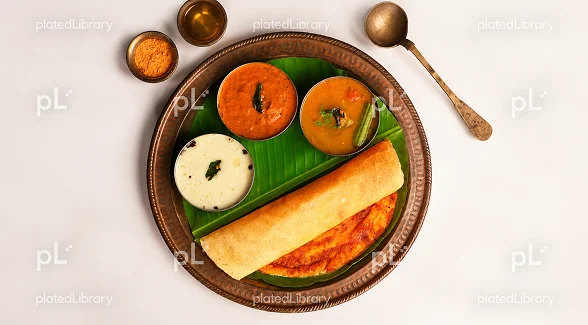
If you’re looking for a better way to manage, organize and present food imagery, explore PlatedLibrary. So, when your next website update, menu launch or food marketing campaign needs an image that represents Indian cuisine, explore PlatedLibrary and find the food visuals your brand needs.
FAQs
Yes. JPEG is particularly well suited to food photography because it handles photographs with colours, gradients, shadows and natural detail while offering a practical balance between image quality and file size.
For many website placements, 800–1,500 pixels wide is a useful starting range. Large hero images may require 1,600–2,000 pixels or more, depending on the design.
It depends on where the image will appear. Small thumbnails may need only 300–500 pixels in width, while product or menu images may work better around 1,000–1,500 pixels. Large hero images can require 1,600–2,000 pixels or more.
No. A higher resolution provides more pixels, but poor photography or excessive compression can still produce a bad-looking image. Correct dimensions, sharpness, lighting and compression all matter.
Resize the JPEG to the dimensions required by your website and then apply sensible compression. Check the image visually afterwards to make sure important food details, textures and colours still look clear.